

A blog post can reach more people when it is also available as a video. Text-to-video AI offers a simpler approach. It can turn the main ideas from an article into visual scenes based on written prompts. You can then add narration, captions, music, and branding to create content for social media, or your website.
This guide explains how to convert blog posts into videos efficiently, including how AI video tools like Pollo AI can support the process.
What Is Text to Video AI?
Text to video AI generator is a tool that creates video clips from written descriptions. You tell the tool what should appear in a scene, and it generates matching visuals.
The AI uses the subject, action, setting, style, and camera instructions to build a short scene. You can create several clips and place them in sequence to communicate the main points of your article.

Step 1: Choose the Right Blog Post
Start with an article that has a clear topic and useful structure. How-to guides, list posts, product explanations, travel articles, and educational content often work well.
A suitable article should have:
- A clear main message
- Several distinct sections
- Practical examples or steps
- Ideas that can be shown visually
- Information that remains relevant to your audience
Check whether the post is still accurate before adapting it. Update old statistics, links, examples, or product details first. This prevents outdated information from appearing in your new video.
Step 2: Extract the Main Points
Do not copy the full article into your video script. Written articles often include long explanations that feel slow when read aloud.
Instead, identify:
- The problem or topic
- The most important facts
- The main steps or recommendations
- One or two useful examples
- A short conclusion or call to action
For a five-minute video, focus only on information viewers need to understand the subject. You can direct them to the original blog post for more detail.
Step 3: Write Effective AI Video Prompts
Clear prompts produce more useful scenes. Keep each prompt focused on one action. If a paragraph covers three different ideas, generate three separate clips rather than forcing them into one scene.
Step 4: Generate Clips with Pollo AI
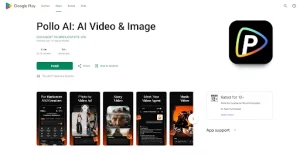
Pollo AI is a practical option for turning written ideas into video content. You can use it to generate clips for introductions, examples, transitions, and other parts of your blog-based video.
The process is simple: write a clear description, select the available settings that suit your project, generate the clip, and review the result. If the scene does not match your idea, adjust the prompt by making the subject, action, or camera direction more specific.
Pollo AI app is also available on both iOS and Android, making it convenient to create and review AI videos on a phone or tablet. This is useful for social media creators, mobile-first teams, or anyone who wants to work on content away from a desktop computer.
Step 5: Add Narration, Captions, and Music
After generating the visuals, arrange them according to your script. Record your own narration or use an appropriate AI voice. Speak at a steady pace and leave brief pauses between major sections.
Add captions because many viewers watch videos without sound. Keep captions short, readable, and synchronized with the narration. Avoid filling the screen with entire paragraphs.
Background music can improve the mood, but it should remain quieter than the voice. Make sure you have permission to use any music, images, logos, or external footage included in the video.
Step 6: Optimize and Publish the Video
Before publishing, check the video for factual accuracy, visual errors, awkward cuts, and spelling mistakes. Confirm that the format fits your chosen platform.
Add a link to the original blog post in the description. You can also embed the finished video in the article to give visitors another way to consume the content.
Turning blog posts into videos does not require rebuilding your content strategy. Start with a useful article, extract its main points, rewrite them as a natural script, and plan a clear visual for each section. Text-to-video AI can then generate scenes that support your message.
Pollo AI offers a straightforward way to create these visuals, with access through the web and apps. With clear prompts and careful editing, one blog post can become an engaging video for your website, YouTube channel, and social media accounts.
Related posts:

The Academic Advantage: How Student Writers Can Help Bloggers Scale Content and Increase Affiliate R...

11 Best Blogging Platforms – Squarespace VS WordPress VS Blogger

How To Make Money By Selling Guest Blog Spots On Your Website

3 ways to earn money via affiliate marketing

The ultimate guide to online marketing in 2021
