

With the prevalence of disorganized digital advertising, it is challenging for brands to effectively reach consumers through their mobile devices, laptops, YouTube accounts, and apps without wasting their money. The DV360 from Google is specifically designed for this purpose. This is important. Like a gamer’s control panel for ads, it offers centralized planning, purchasing and monitoring services. Smart marketers rely on this tool to maintain control and ensure the success of their ads.
What Is DV360?
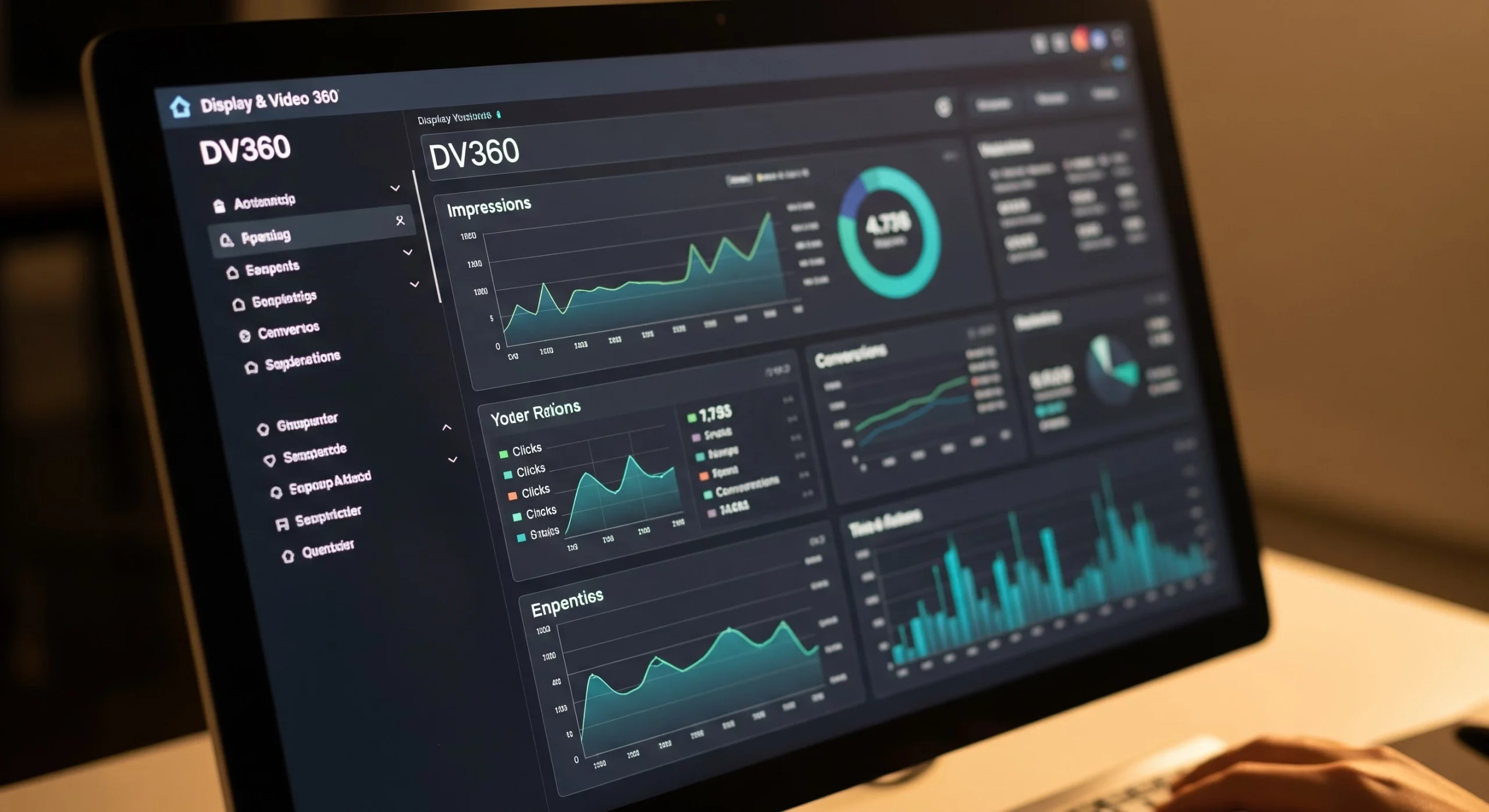
DV360 (Display & Video 360) is Google’s powerful advertising platform for brands and agencies that want to run ads almost everywhere from one dashboard. Think of it as the control room for digital advertising—one place where you can launch, manage, and improve campaigns without jumping between different tools.
With DV360, you can advertise across:
- Display (banner ads on websites)
- Video (YouTube and other video platforms)
- Connected TV (streaming services and smart TVs)
- Audio (Spotify, podcasts, and streaming radio)
- Native (ads that blend into content)
- Mobile apps (in-app ads)
What makes DV360 special? Instead of calling people to buy ad space like the old days, it uses smart technology to buy the best ad placements in real time. It’s like having a super-fast robot that finds the right audience before you can even blink.
DV360 vs. Google Ads: Key Differences
One of the most common questions marketers ask is: “Why would I use DV360 when I already have Google Ads?” The answer comes down to scale, inventory access, and control.
| Feature | Google Ads | DV360 (Display & Video 360) |
| Primary use case | Search, basic display, YouTube | Full programmatic — display, video, CTV, audio, native |
| Audience | SMBs to mid-market | Enterprise brands and agencies |
| Inventory access | Google Display Network only | 90+ ad exchanges + GDN + exclusive YouTube inventory |
| Targeting depth | Standard demographics & interests | First-party data, custom audiences, lookalikes, 3rd-party data |
| Minimum spend | No minimum | ~$50,000/month recommended |
| Pricing model | Auction-based CPM/CPC | % of media spend (platform fee) |
| Creative formats | Standard display and video | Dynamic creative optimization (DCO), rich media, HTML5 |
| Reporting | Campaign Manager lite | Full cross-channel attribution and measurement |
| GMP integration | Limited | Deep — CM360, SA360, GA4, Looker Studio |
| Deal types | Open auction | Open auction, PMP, Programmatic Guaranteed, Preferred Deals |
| Learning curve | Low–medium | High — requires training/certification |
The DV360 Account Hierarchy Explained
Understanding DV360’s structure is essential before running any campaign. The platform is organized into five nested layers:
Partner
└── Advertiser
└── Campaign
└── Insertion Order (IO)
└── Line Item
└── Creative
1. Partner
The top-level account, typically representing an agency, holding company, or large brand. Partners control billing, user permissions, and platform-wide settings. All advertisers sit beneath a partner account.
2. Advertiser
Each advertiser represents a specific brand or client. This is where you:
- Link to other GMP tools (Campaign Manager 360, Google Analytics 4)
- Set up Floodlight tags for conversion tracking
- Manage brand safety settings and audience lists
3. Campaign
A campaign groups activity around a specific marketing goal — e.g., “Q3 Brand Awareness 2026” or “Holiday Sales Push.” Campaigns hold multiple Insertion Orders and define the top-level objective.
4. Insertion Order (IO)
IOs sit within a campaign and control:
- Budget allocation and flight dates
- Pacing (ASAP, even, or front-loaded)
- Deal type (open auction vs. PMP)
You might have one IO for video spend and another for display within the same campaign.
5. Line Item
The most granular execution layer. Each line item defines:
- Targeting parameters (audiences, geography, devices, dayparting)
- Bidding strategy and CPM/CPA goal
- Frequency caps
- Which creatives to serve
A single Insertion Order can contain dozens of line items, each targeting a different audience segment or format.
Key Features of Google Display & Video 360
Advanced Audience Targeting
DV360’s targeting capabilities go well beyond what Google Ads offers:
- First-party data activation — Upload CRM lists, website visitor data, and app user lists and activate them directly in campaigns
- Lookalike audiences — Automatically build audiences that mirror your best customers
- Third-party audience segments — Access data from premium providers like Nielsen, Experian, and Oracle Data Cloud
- Behavioral & contextual targeting — Reach users based on browsing behavior, purchase intent signals, and page content
- Custom intent audiences — Target users who have actively searched for relevant keywords
- Demographic + geo-targeting — Granular by country, region, city, postal code, and more
Programmatic Deal Types
DV360 gives you access to more ways to buy inventory than any other Google product:
- Open Auction (RTB) — Bid in real time against other advertisers for available impressions across 90+ exchanges
- Private Marketplace (PMP) — Access curated, premium inventory packages from publishers at negotiated prices
- Programmatic Guaranteed (PG) — Reserve specific inventory in advance at a fixed CPM — no auction, no competition
- Preferred Deals — First-look access to inventory at a negotiated price before it enters auction
Dynamic Creative Optimization (DCO)
DV360’s built-in Studio integration allows you to serve personalized ads at scale. Creative elements — headlines, images, CTAs, pricing — automatically adjust based on the viewer’s location, device, weather, intent signals, or remarketing status. A single campaign can serve hundreds of creative variants without manual effort.
Cross-Channel Campaign Management
Manage display, video, CTV, audio, and native from one unified interface. This allows:
- Consistent frequency capping across formats (so a user doesn’t see your ad 20 times in one day across channels)
- Unified budget management and pacing
- Holistic performance reporting across all touchpoints
Machine Learning Bid Optimization
DV360’s automated bidding strategies use Google’s machine learning to hit your KPIs:
- Maximize conversions — Spend budget to get the most conversions possible
- Target CPA — Hit a specific cost-per-acquisition goal
- Viewable CPM (vCPM) — Optimize for impressions that are actually seen
- Custom goal bidding — Define your own performance signal from Floodlight data
Brand Safety and Fraud Protection
- Content category and keyword exclusions
- Publisher blocklists and allowlists
- Viewability filtering (only bid on placements above a viewability threshold)
- Invalid Traffic (IVT) filtering powered by Google’s ad traffic quality systems
- Third-party verification integrations (IAS, DoubleVerify, MOAT)
How to Run a DV360 Campaign: Step-by-Step {#how-to-run-campaign}
Here is a practical walkthrough for setting up your first DV360 campaign from scratch.
Step 1: Access DV360 and Set Up Your Advertiser
To use DV360, you need access through a Google Marketing Platform partner or a Google account manager. Once inside:
- Navigate to your Partner account
- Create a new Advertiser — give it the brand name, set the currency, and link your Campaign Manager 360 account for conversion tracking
- Set up your Floodlight configuration to track website actions (purchases, sign-ups, page visits)
- Configure brand safety settings at the advertiser level — this applies across all campaigns
Step 2: Create a Campaign
- Inside your advertiser, click New Campaign
- Name your campaign (use a clear naming convention: Brand_Channel_Objective_DateRange)
- Set the campaign goal — Awareness, Consideration, or Action
- Define the flight dates for the overall campaign
- Optionally set a campaign-level budget cap
Step 3: Build Your Insertion Order (IO)
- Inside your campaign, click New Insertion Order
- Choose the IO type: Display & Video, Over-the-Top (OTT/CTV), or YouTube
- Set budget, start and end dates, and pacing (even spread vs. front-loaded)
- Choose your deal type — if running a PMP or PG deal, link it here
- Set IO-level frequency caps (e.g., no more than 5 impressions per user per week)
Step 4: Configure Line Items
This is where targeting and bidding are defined.
- Click New Line Item within your IO
- Choose the line item type: Display, Video, Audio, YouTube, etc.
- Set your bid strategy:
- Fixed CPM (manual)
- Automated: Maximize conversions, Target CPA, Maximize viewable impressions
- Define targeting:
- Geography — country, region, city, or radius
- Audiences — first-party lists, Google audiences, third-party segments
- Devices — desktop, mobile, tablet, CTV
- Dayparting — specific hours or days of the week
- Viewability threshold — only bid on placements above X% viewability
- Brand safety — exclude sensitive content categories
- Set frequency caps at the line item level
- Add inventory sources — select which exchanges or deals to access
Step 5: Upload and Assign Creatives
- Navigate to the Creatives section of your advertiser
- Upload assets — standard display (HTML5, image), video (MP4), or link to Studio for dynamic ads
- Make sure all creative sizes match IAB standards: 300×250, 728×90, 160×600, 320×50, etc.
- Assign creatives to line items — you can assign multiple creatives per line item; DV360 will automatically rotate and optimize toward top performers
Step 6: Set Up Conversion Tracking and Measurement
- Ensure your Floodlight tags are firing correctly on your website — verify in Campaign Manager 360
- Link your Google Analytics 4 property to import goals as conversions
- Set up custom reporting in DV360’s Reporting module:
- Choose dimensions (date, line item, creative, audience segment)
- Choose metrics (impressions, clicks, CTR, conversions, view-through conversions, ROAS)
- Schedule automated email reports for stakeholders
Step 7: Launch and Optimize
Before going live, run through this checklist:
- [ ] Floodlight tags verified and firing
- [ ] All creatives approved (allow 24–48 hours for review)
- [ ] Frequency caps set at both IO and line item levels
- [ ] Brand safety exclusions applied
- [ ] Budget pacing configured correctly
- [ ] Audience segments populated (note: segments under 1,000 users won’t serve)
Once live, monitor daily for the first week. Key optimization actions:
- Pause underperforming placements — review the “Where Ads Showed” report and exclude low-quality sites
- Adjust bids based on CPA or ROAS performance by segment
- A/B test creatives — pause the weakest performers after statistical significance
- Refresh audiences every 30 days if using remarketing lists
- Monitor frequency — fatigue typically sets in above 7–10 impressions per user per week
DV360 Pricing: What Does It Cost?
DV360 does not have a flat subscription fee. Its pricing model has several components that can catch first-time users off guard.
Platform Fee (Tech Fee)
DV360 charges a percentage of media spend as a platform fee. The exact rate depends on:
- Your contract terms and spend volume
- Whether the inventory is bought via exchange (open auction) or non-exchange (PG deals)
- Your GMP reseller or agency relationship
Industry benchmarks consistently report the platform fee at 10–15% of media cost, with higher-volume spenders able to negotiate lower rates.
Minimum Spend
DV360 is not designed for small budgets. In practice, minimum monthly media spend starts at approximately $50,000/month, making it best suited for enterprise advertisers and agencies. Below this threshold, the overhead of managing DV360 often outweighs the incremental benefits over Google Ads.
Data Fees
If you use third-party audience segments (from providers like Nielsen, Acxiom, or Oracle), these are charged on top of your media spend — typically on a CPM basis per segment used. Costs vary widely by data provider and segment quality, but $0.50–$3.00 CPM is a common range.
Third-Party Verification Fees
Using IAS, DoubleVerify, or MOAT for brand safety and viewability measurement adds additional CPM-based fees — typically $0.10–$0.50 CPM depending on the product.
Creative and Tech Integration Costs
If you use Studio for dynamic creative, or integrate additional data partners and analytics tools, those carry their own licensing or usage costs.
Cost Breakdown Summary
| Cost Component | Typical Range |
| Platform fee | 10–15% of media spend |
| Minimum monthly media spend | ~$50,000/month |
| Third-party audience data | $0.50–$3.00 CPM |
| Brand safety / verification | $0.10–$0.50 CPM |
| Dynamic creative (Studio) | Varies by contract |
Who Should Use DV360?
DV360 is the right tool if your organization matches most of these criteria:
✅ Use DV360 if you:
- Spend $50,000+ per month on digital advertising
- Need to reach audiences across display, video, CTV, and audio in one platform
- Have first-party data (CRM, CDP, or website data) you want to activate at scale
- Run campaigns across multiple brands or clients (agencies especially)
- Need programmatic direct deals (PMP, PG) with premium publishers
- Require advanced attribution and cross-channel reporting
- Have in-house programmatic expertise or a GMP-certified agency partner
❌ Stick with Google Ads if you:
- Spend less than $50,000/month on paid media
- Primarily run search campaigns
- Don’t have dedicated programmatic expertise on your team
- Need a quick, self-serve setup with minimal training
Common Challenges and How to Solve Them
The Learning Curve Is Steep
DV360 has hundreds of settings across campaigns, IOs, and line items. New users frequently misconfigure targeting or bidding, wasting budget quickly.
Solution: Complete Google’s official Display & Video 360 Certification on Skillshop before touching live campaigns. Start with a small test budget on a non-critical campaign. Consider hiring a GMP-certified agency for the first 90 days.
Budget Can Drain Fast Without Proper Pacing
Unlike Google Ads, DV360 defaults to “ASAP” pacing on some line items, which can exhaust a monthly budget in days.
Solution: Always set even pacing at the IO level unless you have a specific strategic reason to front-load. Set IO-level budget caps as a safety net.
Audience Segments Require Scale to Activate
Remarketing lists or uploaded CRM audiences won’t serve if the segment contains fewer than 1,000 matched users. This surprises smaller advertisers.
Solution: Combine smaller segments, use Google’s audience expansion feature, or layer contextual targeting as a fallback.
Attribution Is Complex
DV360’s default last-click attribution doesn’t capture the full view-through and assist value of display advertising.
Solution: Use data-driven attribution in Campaign Manager 360 and integrate GA4 for a full cross-channel view. Define view-through conversion windows deliberately (7-day is common for awareness campaigns).
Data Privacy and Compliance
With GDPR, CCPA, and Google’s evolving approach to third-party cookies, consent management is non-negotiable.
Solution: Implement a Consent Management Platform (CMP) that integrates with Google’s Consent Mode v2. Shift toward first-party audience strategies (customer match, first-party segments). Test contextual and privacy-safe targeting solutions now rather than waiting.
DV360 and the Future of Programmatic Advertising
DV360 is continuously evolving. Here are the key trends shaping the platform in 2026:
Connected TV (CTV) Is the Fastest-Growing Channel
CTV ad spend continues to surge as audiences shift from linear TV to streaming. DV360 now offers access to premium CTV inventory, including Netflix exchange inventory (made available in March 2025), Amazon streaming properties, Disney+, and more. Advertisers can run frequency-capped campaigns that reach users across both digital and TV screens with unified measurement.
Advertisers can run frequency-capped campaigns that reach users across both digital and TV screens with unified measurement. However, DV360’s ~$50,000/month minimum spend puts it out of reach for many advertisers. For brands with smaller budgets, self serve ctv advertising platforms like AdLib offer direct access to streaming TV inventory without the enterprise commitment or lengthy onboarding.
AI-Powered Campaign Automation
Google continues to expand its AI-driven features within DV360 — from automated bid strategies to creative optimization and audience discovery. The platform’s Demand Gen integration (rolling out broadly in June 2026) extends DV360’s reach into YouTube Shorts, Gmail, and Discover feed placements with AI-generated creative assets.
Privacy-First Targeting
As third-party cookies continue their slow deprecation, DV360 is investing heavily in privacy-safe alternatives:
- Google’s Privacy Sandbox signals (Topics API) are now integrated
- First-party data integration via Customer Match and PAIR (Publisher Advertiser Identity Reconciliation)
- Contextual targeting improvements powered by Google’s AI
Cross-Device Measurement
DV360’s integration with GA4 and CM360 provides increasingly accurate cross-device attribution, allowing advertisers to understand how a mobile impression contributes to a desktop conversion days later.
Frequently Asked Questions
What does DV360 stand for?
DV360 stands for Display & Video 360. The “360” means it helps advertisers manage campaigns across almost every major digital channel from one place.
Is DV360 the same as Google Ads?
No. Think of Google Ads as a family car and DV360 as a race car. Google Ads is great for most businesses, while DV360 gives big brands much more control, targeting, and access to premium ad inventory.
How do you get access to DV360?
Most businesses get DV360 through a Google Marketing Platform partner. Large companies can also work directly with Google if they meet the spending requirements.
Does DV360 include YouTube advertising?
Yes. It lets advertisers buy regular YouTube ads and even premium placements that aren’t available through standard Google Ads.
What is the difference between DV360 and Campaign Manager 360 (CM360)?
DV360 buys the ads. CM360 tracks what happens after people see or click them. One drives the campaign, the other measures the results.
Can small businesses use DV360?
Technically yes, but it’s usually overkill. Unless you’re spending a lot on advertising, Google Ads is the smarter and more affordable choice.
What is a Floodlight tag in DV360?
A Floodlight tag is a tracking tool that tells DV360 when someone takes an important action, like making a purchase or filling out a form. That data helps campaigns get smarter over time.
Conclusion: Is DV360 Right for Your Business?
DV360 is an incredibly powerful platform, but it’s not for everyone. Think of it like a Formula 1 car—it can be unbelievably fast, but only if you have the budget and know how to drive it. For large brands and agencies, it’s one of the best tools for running smart, data-driven campaigns across multiple channels.
If you’re a small business or just getting started, Google Ads is the better choice. It’s simpler, cheaper, and easier to learn. As your business grows and your ad budget gets bigger, DV360 can become a real game-changer that gives you an edge over the competition.