

In the digital world, getting tons of visitors is cool—but it won’t pay for a single snack unless those visitors actually do something. If people come to your site, look around, and bounce faster than you leaving a boring class, your website is basically just a flashy billboard nobody notices.
That’s why website conversion analysis matters. It’s like being a detective, figuring out what makes people click, buy, sign up, or run away. Whether you want them to buy a product, fill out a form, or join your newsletter, understanding what stops them (and fixing it!) is what turns a “meh” website into one that actually works—and keeps your business alive.
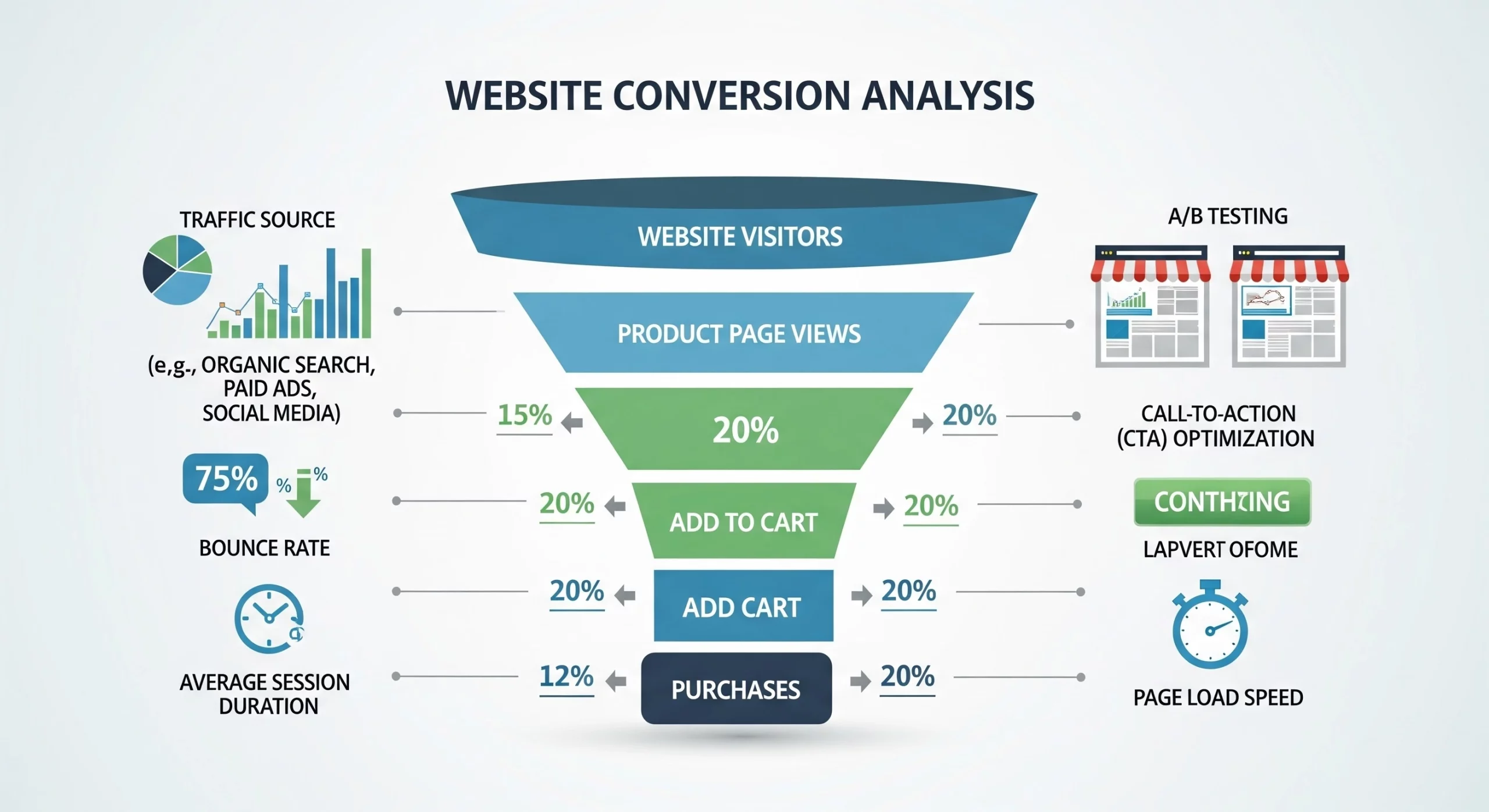
What Is Website Conversion Analysis and Why Does It Matter?
Website conversion analysis is basically you spying on your own website—in a good way. You track what people do, figure out what makes them click, and uncover what sends them running for the exit. A “conversion” is just any action you want someone to take, and the conversion rate is how many people actually do it.
The math is easy: if 100 people show up and only 3 buy, you’ve got a 3% conversion rate. But the real mystery—the juicy part—is why the other 97 bailed. That’s where the analysis becomes pure gold.
The business impact of conversion analysis is substantial:
- According to research by Invesp, the average website conversion rate across industries hovers between 2-3%, meaning that even small improvements can dramatically increase revenue without increasing traffic costs
- Companies that invest in conversion rate optimization see an average return on investment of 223%, making it one of the most cost-effective marketing strategies available
- Understanding conversion barriers helps you allocate marketing budgets more efficiently by focusing on what actually drives results rather than vanity metrics like page views
Key Metrics Every Conversion Analysis Should Track
If you want your website to actually work instead of just sitting there like a lazy cat, you’ve gotta track the right numbers. Too many metrics and your brain melts; too few and you’re basically wandering around in the dark with no flashlight. Here are the must-know stats:
Conversion Rate
This is your MVP. It’s how many people actually did the thing you wanted—bought something, signed up, whatever. Don’t just look at the overall number. Break it down by traffic source, device, new vs. returning users, and individual pages. It’s like checking your grades class by class instead of just staring at your report card average.
Bounce Rate
This tells you how many people took one look at your site and said, “Yeah… no,” and left. A high bounce rate usually means your page didn’t match what they expected—kind of like clicking on a video that promises “EPIC GAME HACK” and finding someone explaining algebra. Most sites sit somewhere around 40–60%.
Average Session Duration
This is how long people stick around. Longer time usually means they’re interested. But context matters—if someone finds your contact info in 10 seconds, that’s actually a win, not a fail.
Pages Per Session
This shows how deep visitors go into your site. More pages can mean they’re exploring—great for e-commerce shops. But if your software site makes people click through six pages just to request a demo? That’s like making someone go through five doors to use the bathroom. Not good.
Exit Rate
Every visit ends somewhere—but some pages send people running away faster than others. If a certain page has a weirdly high exit rate, it’s waving a giant red flag saying, “Fix me!”
Click-Through Rate (CTR)
This measures how many people actually click your buttons—“Buy Now,” “Get Started,” etc. If no one’s clicking, it doesn’t matter if you get a million visitors. It’s like inviting everyone to a party but forgetting to open the door.
Form Abandonment Rate
Super important if you use forms to get leads. If tons of people start filling out the form but almost no one finishes, that’s a huge problem. It’s the website equivalent of handing someone a three-page questionnaire at the mall—they’re dipping out immediately.
The Website Conversion Analysis Process: A Step-by-Step Approach
Improving your website isn’t a “fix it once and forget it” thing—it’s more like leveling up in a game: try, learn, try again. Here’s how you do it like a pro:
Step 1: Define Your Conversion Goals
First, you need to decide what counts as a win. Is it making a sale? Getting someone to sign up for your newsletter? Downloading an ebook? Primary conversions are the big wins. Secondary ones are like bonus points—they help lead people to the main goal later.
Step 2: Set Up Proper Tracking
You can’t improve what you’re not measuring. Use tools like Google Analytics 4 to track everything from clicks to scroll depth to video plays. It’s like installing cameras in your virtual store (the friendly, legal kind) so you can see what customers actually do.\
Step 3: Gather Quantitative Data
Now grab the numbers. Look at which pages get the most visitors, which traffic sources bring people who actually convert, and what devices they use. Check your conversion funnel to see where people bail—like if 100 start checkout and only 10 finish, that’s a major “why tho?” moment.
Step 4: Collect Qualitative Data
Numbers tell you what is happening… but not why. That’s where tools like Hotjar or Crazy Egg come in. You can watch recordings of real users stumbling around your site—like seeing someone open a door the wrong way—and ask visitors questions about what confused them. User testing is basically “let’s watch someone else press buttons and panic for us.”
Step 5: Identify Conversion Barriers
Now combine all your clues and find the villains stopping your conversions. It could be a super-long form, buttons hiding like shy kittens, slow pages, sketchy checkout vibes (no trust badges? yikes), messy navigation, or mobile pages that look like a Picasso painting gone wrong. Fixing these is where the magic happens.
Step 6: Prioritize Issues and Form Hypotheses
Some problems are tiny annoyances, others are screaming disasters. Focus on the big-impact ones first. Create hypotheses like a scientist:
“We believe that shrinking our form from 12 fields to 5 will boost completions because everyone hates homework-length forms.”
Now you have a smart guess you can test.
Step 7: Test Solutions
Time to experiment! Use A/B tests—version A vs version B—and see which one wins. Only change one thing at a time or you’ll never know what worked. Let the test run long enough to get real results, not “I got three clicks, looks good!” fake confidence.
Common Conversion Killers and How to Fix Them
Every website has a few “oops” moments that scare visitors away. Here are the biggest troublemakers—and how to shut them down:
Slow Page Speed
Nobody wants a website that loads slower than your teacher taking attendance. When pages drag, people bail—fast. Compress images, clean up your code, and test your speed often so your site doesn’t feel like dial-up internet from the dinosaur days.
Unclear Value Proposition
If visitors can’t figure out why they should care in the first few seconds, they’re gone. Tell them what makes you awesome—quickly, clearly, and in a way that’s better than the other guys.
Complicated Checkout Process
Online shoppers hate homework. If buying something feels like filling out a government form, the cart is getting abandoned. Keep checkout simple: fewer fields, clear progress steps, tons of payment options, and no surprise fees popping up at the end like jump scares.
Lack of Social Proof
People want to see proof that others trust you first—it’s human nature (and kinda like checking restaurant reviews before risking a bad meal). Use testimonials, ratings, real photos, awards—anything that screams, “Hey, real humans love us!”.
Tools for Effective Conversion Analysis
If you want your website to stop acting like a mysterious black box and start giving you answers, you need the right tools. Think of these as your detective gear for cracking the “why aren’t people converting?!” case:
Google Analytics 4
This is your command center. It tracks what people do, where they came from, and how close they got to converting. It’s free, powerful, and basically the closest thing to having x-ray vision on your website.
Heatmapping Tools
Hotjar, Crazy Egg, Microsoft Clarity—these tools show you where people click, scroll, or completely ignore things. It’s like watching someone use your site with a giant neon highlighter revealing what they notice and what they pretend doesn’t exist.
A/B Testing Platforms
Google Optimize, Optimizely, VWO… these are your “let’s test it and see” tools. Want to know if a blue button beats a red one? Or if shorter text gets more clicks? These platforms help you run experiments without begging a developer for hours.
Session Recording Tools
FullStory and Mouseflow let you watch real visitors use your site—kinda like replaying gameplay footage to see where you messed up. You’ll spot rage-clicking, confusion spirals, and “why is this button hiding?!” moments instantly.
Survey and Feedback Tools
Qualaroo, Typeform, Usabilla—these let you actually ask visitors what’s up. Sometimes the simplest way to fix your site is just, “Hey, what confused you?” People love being heard.
Form Analytics Tools
Formisimo and Zuko show you which parts of your forms are scaring people away. If everyone quits at the “Phone Number” field, yeah… that’s your villain. These tools expose those pain points instantly.
Turning Analysis Into Action: Creating Your Optimization Roadmap
Collecting data is cool, but if you don’t do anything with it, it’s just a bunch of fancy charts. Start by recording how your website is performing right now—your “before” picture. Then list out all the things you could fix and prioritize the ones that will give you the biggest wins fast. Keep testing all the time—don’t be that student who only studies the night before the exam. Great websites are always improving.
Check your metrics often, because people change, competitors get smarter, and new tech pops up faster than new TikTok trends. Conversion optimization isn’t a one-and-done thing—it’s a long-term relationship.
Conclusion: Making Conversion Analysis a Competitive Advantage
Conversion analysis isn’t just button-color changes (though hey, that sometimes works!). It’s about truly understanding what your visitors want and helping them get it without frustration.
The most successful online businesses aren’t always the ones with massive advertising budgets—they’re the ones who pay attention, ask smart questions, and keep improving based on real data instead of random guesses.